How BeerCounter Works
BeerCounter works in three moves: snap a beer, let AI verify it, and collect it in your beer photo journal. Here is the full process.
How to track beers with BeerCounter
Step 1: Download BeerCounter and create an account
Install BeerCounter for free from the App Store or Google Play, sign in with Google, Apple or email, and choose a username and your country. You must be 18 or older, or of legal drinking age in your country.
Step 2: Snap a photo of your beer
Open the beer check and take a photo of your beer with the in-app camera. For the best result, keep the beer clearly in the frame.
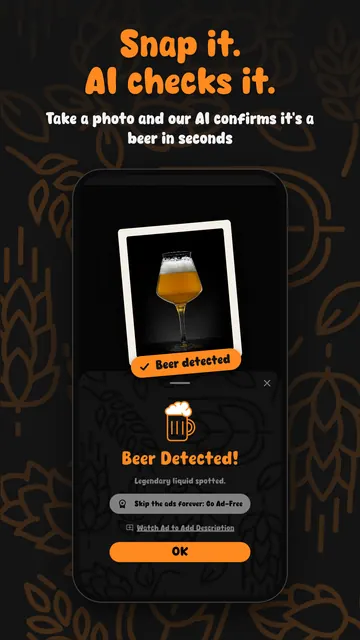
Step 3: Let AI check the photo
BeerCounter analyses a reduced-size copy of the photo, without location or camera metadata, and AI image recognition confirms within seconds whether it shows a beer. When it does, you see “Beer Detected!”.
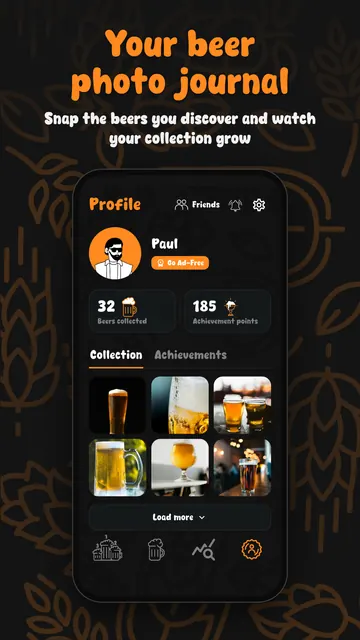
Step 4: Add it to your beer photo journal
The verified beer is saved to your journal with its date and time. Add a note, such as the beer's name or where you drank it, and your total and monthly counts go up.
Step 5: Compare with friends and climb the leaderboards
Add friends, browse their collections and see where you rank on the Friends, Country and World leaderboards, for this month or all time.
Step 6: Unlock badges and see your stats
Milestones unlock collector badges and achievement points, from your first beer to 1,000 beer photos. With Premium you also get Beer Stats such as streaks and monthly trends.
Why BeerCounter verifies beers with AI
A beer counter is only fun when the numbers are real. Because every beer needs a photo that passes the AI check, BeerCounter counts are backed by pictures, not by taps on a plus button. Together with the 2-minute wait between beers and the limit of 25 beers per day, this keeps the leaderboards fair for everyone.
AI recognition can occasionally be wrong. A failed check simply means the photo was not counted; try again with the beer clearly in the frame.
Your privacy during the AI check
Only a reduced-size copy of the photo is analysed, and location and camera metadata are removed first. The photo is not sent with your name or email. Read the Privacy Policy for full details about how photos are processed and stored.
See every feature on the features page, or get quick answers in the FAQ.
Download BeerCounter
Start your beer photo journal today. BeerCounter is free on the App Store and Google Play.